I have been using local Whisper model for over a year now. Being able to discuss podcasts with AI was main use case for me. The Whisper model was pretty good, but not perfect. It was quite slow to run it locally and it sometimes got numbers wrong so I could not 100% rely on it.
The most recent models though got much better. The latest Parakeet Ultra, built on NVIDIA's Parakeet, got the error rate down to roughly 6%. It is also significantly faster, and on top of that a second model can identify speakers. Transcribing 1 hour audio takes about half a minute on my M1 Pro. Magical!
Being able to identify speakers is huge deal actually. It makes meeting transcriptions and podcasts much more understandable for AI.
The problem with these models for most people is that it's tricky to start using it. There are many different models and they need different runtimes (MLX, Core ML, whisper.cpp, PyTorch, etc.). That's why I decided to build a simple CLI wrapper tool that simply has the best defaults possible so it is easy to use.
Introducing Mac Transcribe CLI
mac-transcribe is a simple Unix-like CLI tool that is optimized for Apple Silicon. It is using the Parakeet Ultra model underneath. It takes any kind of audio or video and returns text or JSON with transcription. Using it is as simple as calling the tool with a single file argument.
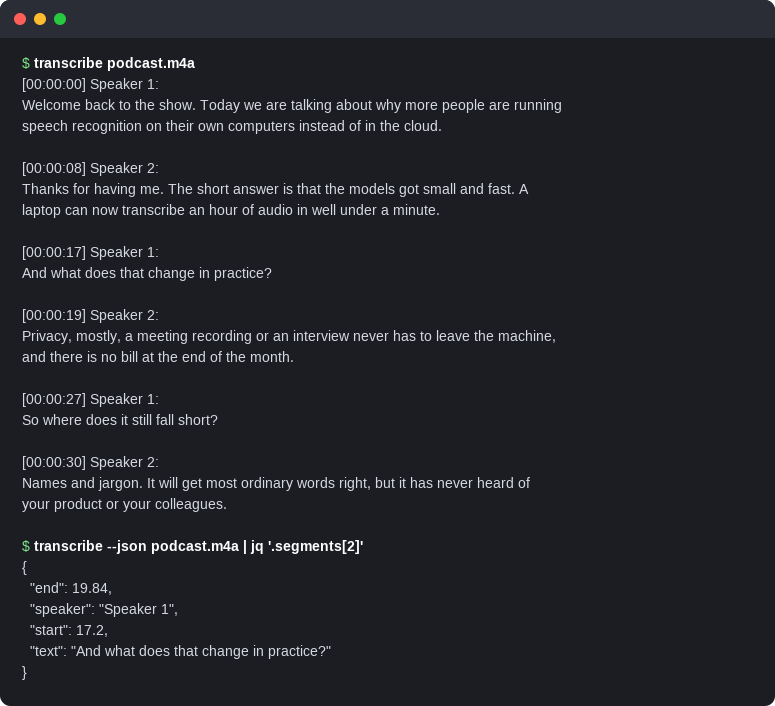
The tool itself is free to use and free to modify. Everything runs locally and nothing ever leaves your machine.
Enjoy